Here’s how you enable Java assertions in Eclipse.
1. Go to Window -> Preferences.
2. In the filter textbox, type “JRE” and click on “Installed JREs”.
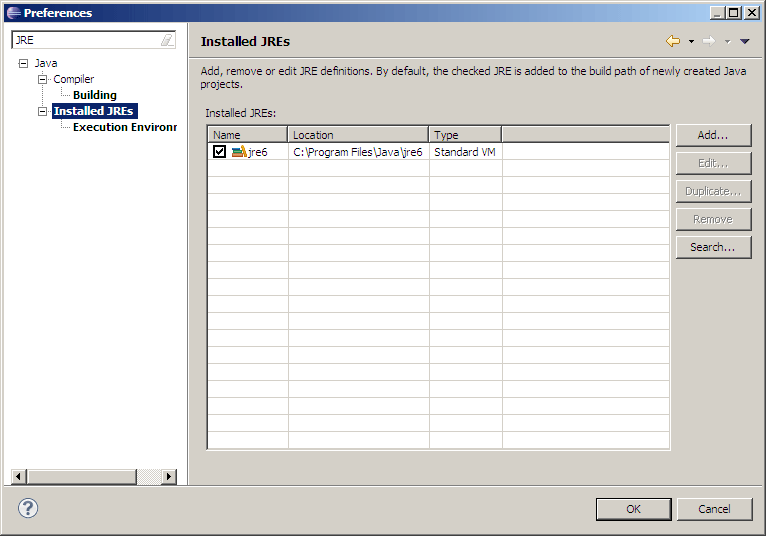
3. Double click on the installed JRE on the right to edit.
4. Add “-ea” to the “Default VM Arguments” textbox.

5. Click “Finish” and “OK”. You now have assertions enabled in Eclipse.
thanks v much, can get my assignment started now!
Thanks alot for a simple demonstration ..